Slop Commanderfor macOS 14 and later
Two panels, the keyboard and everything in reach: a file manager in the spirit of Norton Commander and FAR, written in AppKit, with git built in.
Works best with Slop Viewer, which draws its Markdown.

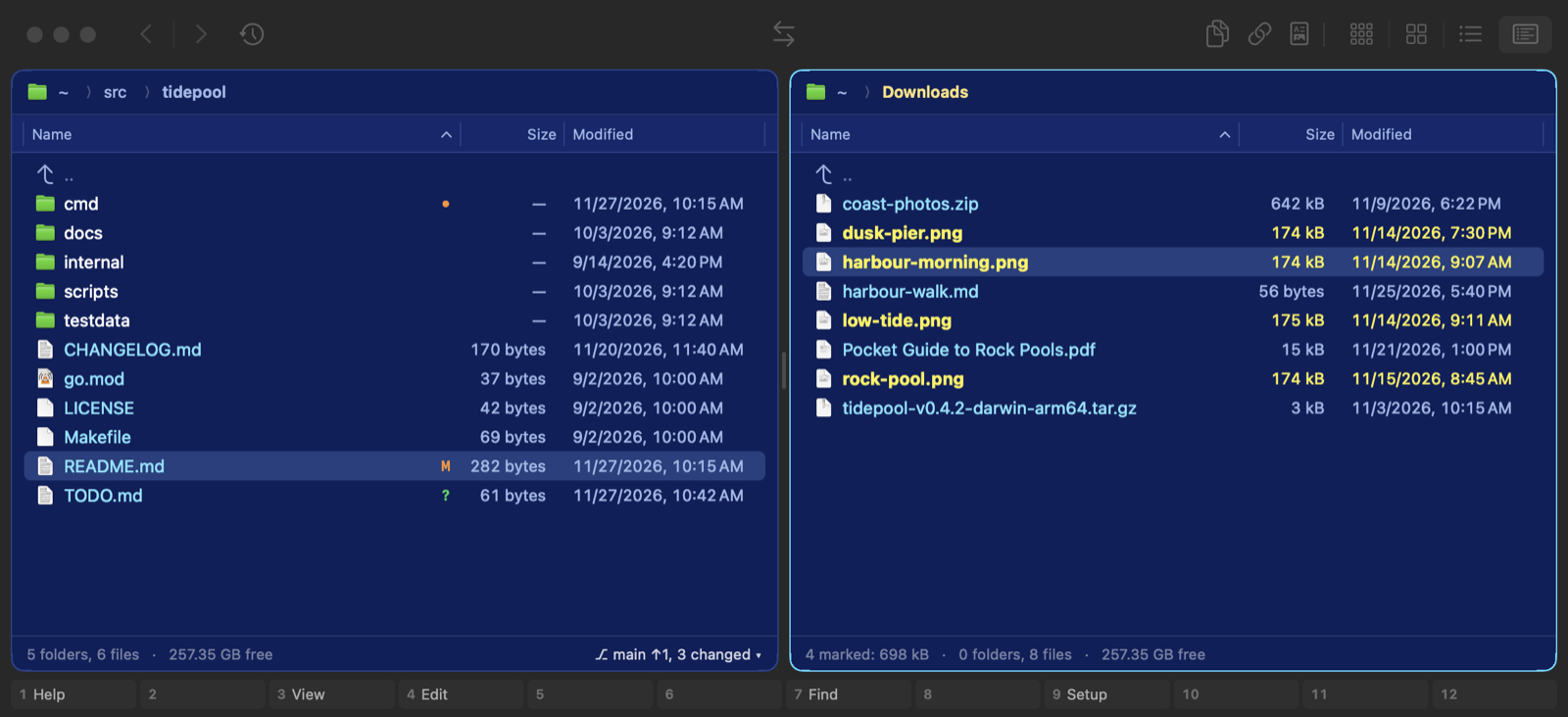
Two panels, each with tabs
Each panel keeps its own tabs, history, sort and view. In a repository every name gets its git status, a folder shows a dot when something inside changed, and the footer has the branch and what is waiting to push.
Mark files as in FAR: Insert, ⇧↑ ⇧↓, or + with a mask such as *.png. The footer adds them up.
Tab other panel · ⌘T new tab · ⌘U swap
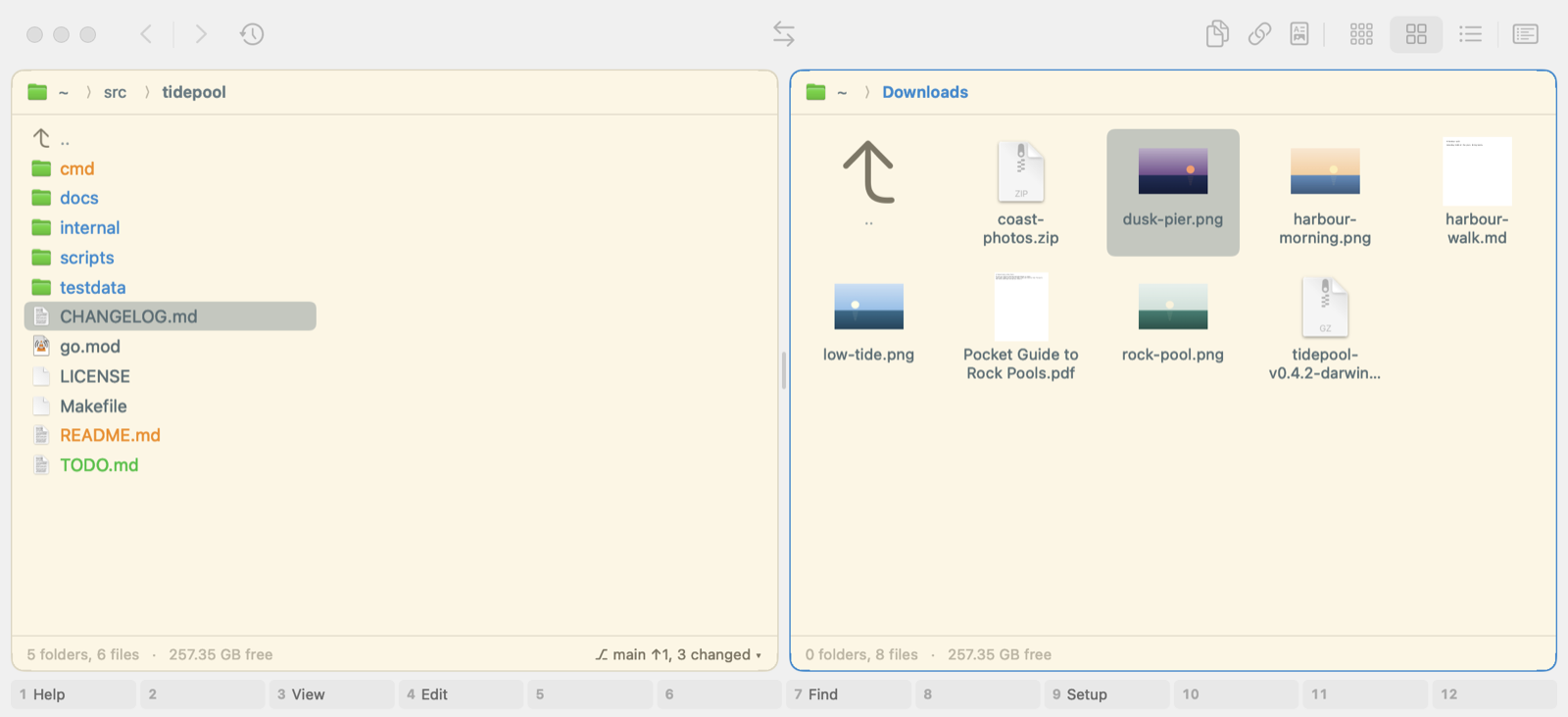
Views and themes
Details, List, Small Icons or Large Icons, per tab; Large Icons show thumbnails of pictures and documents.
The themes are Classic Blue, the system look, or any of mdv's fifteen, in light and dark. This is Solarized.
⌘1 … ⌘4 views · F9 settings
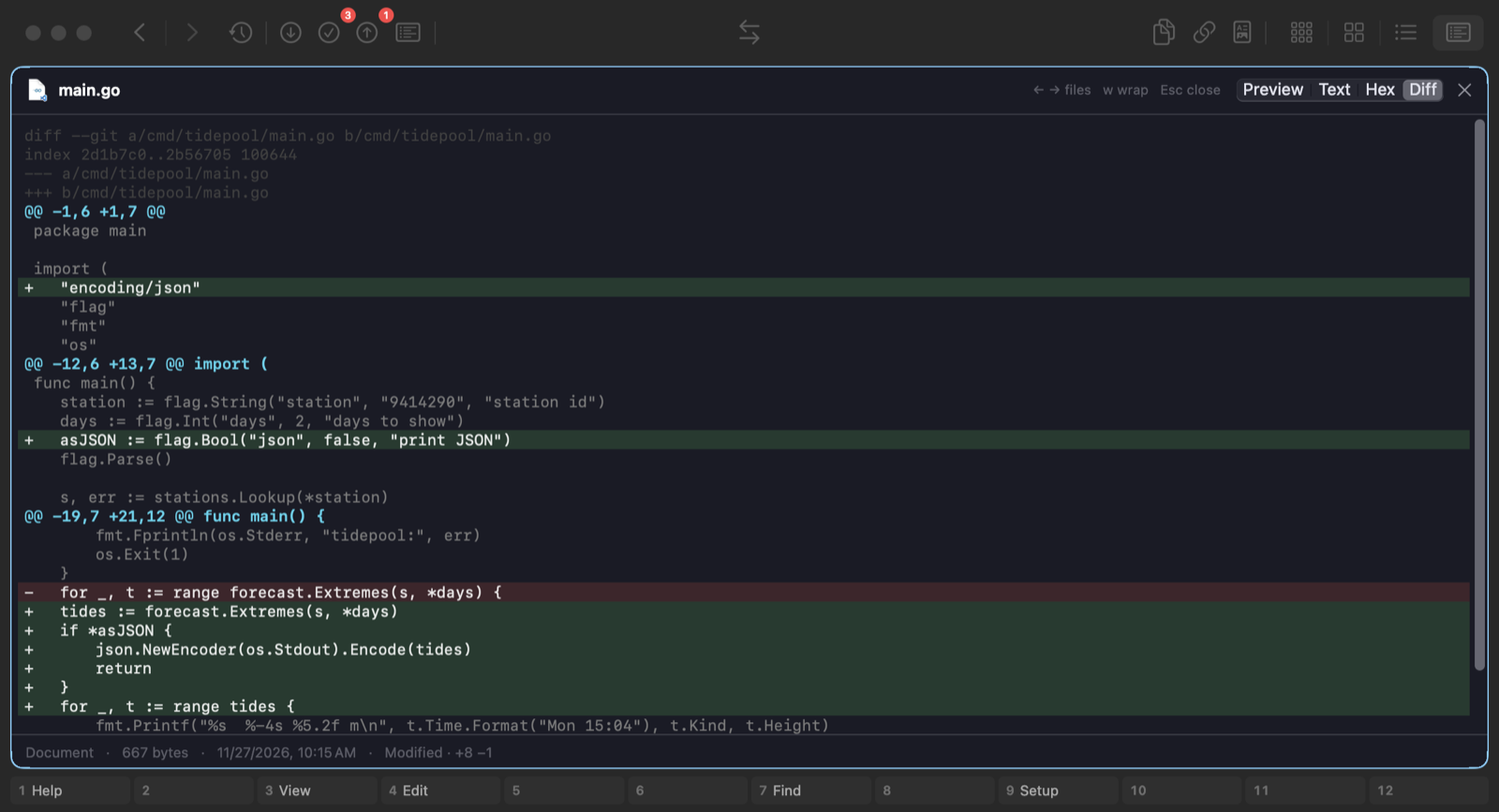
The viewer
F3 shows the file under the cursor over both panels: a Quick Look preview, text with line numbers, hex, or, for a file with changes, its diff against the last commit.
← → step through the folder while the panel's cursor follows.
F3 view · ⌃Q quick view · F4 edit
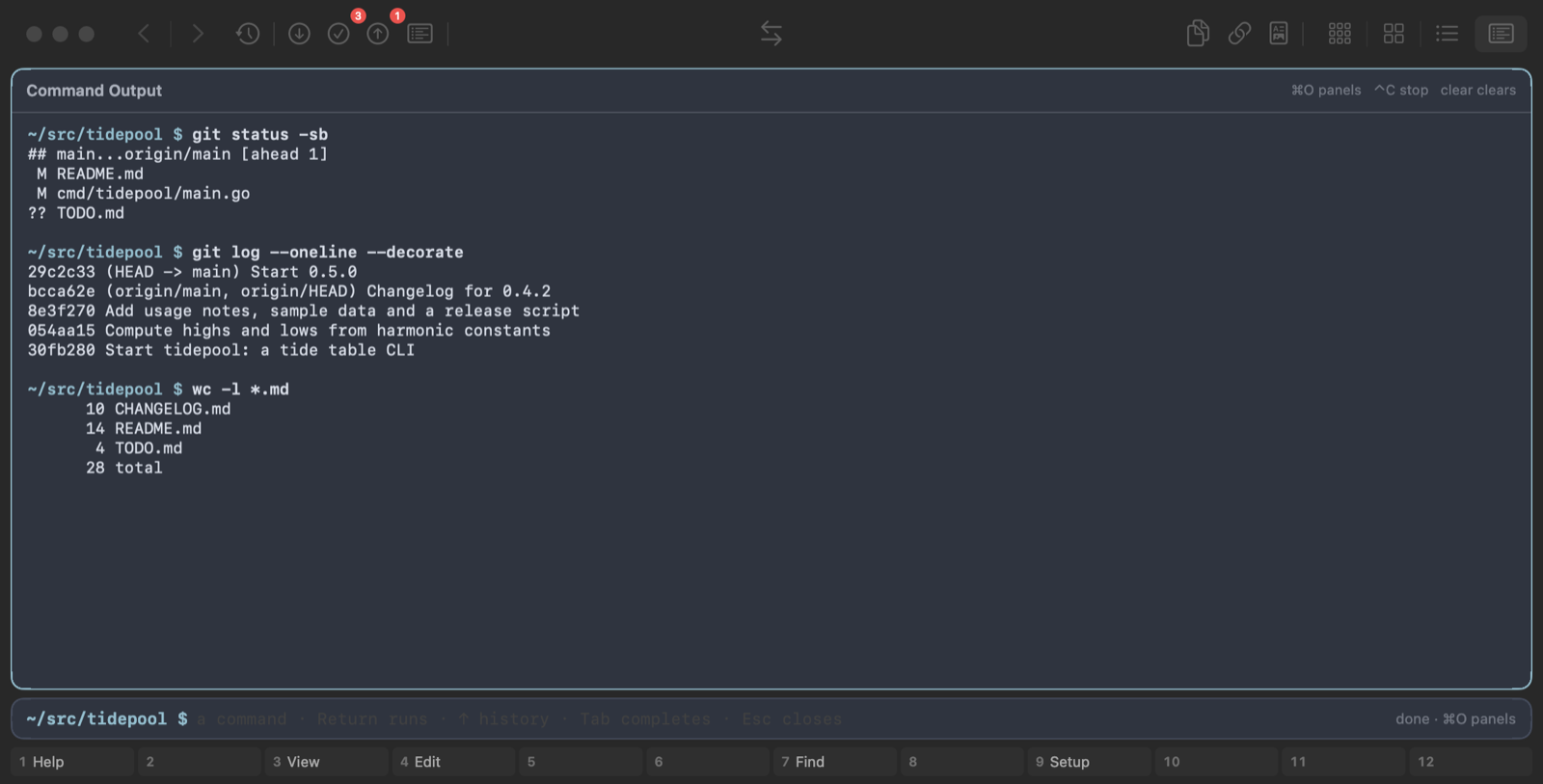
A command line under the panels
Runs your shell in the panel's folder, with your PATH and aliases. The output streams over the panels; ⌘O flips back to them. cd moves the panel, ⌃↩ puts the name under the cursor on the line.
: or ⌘E open · ⌃C stop
Commit, push and pull
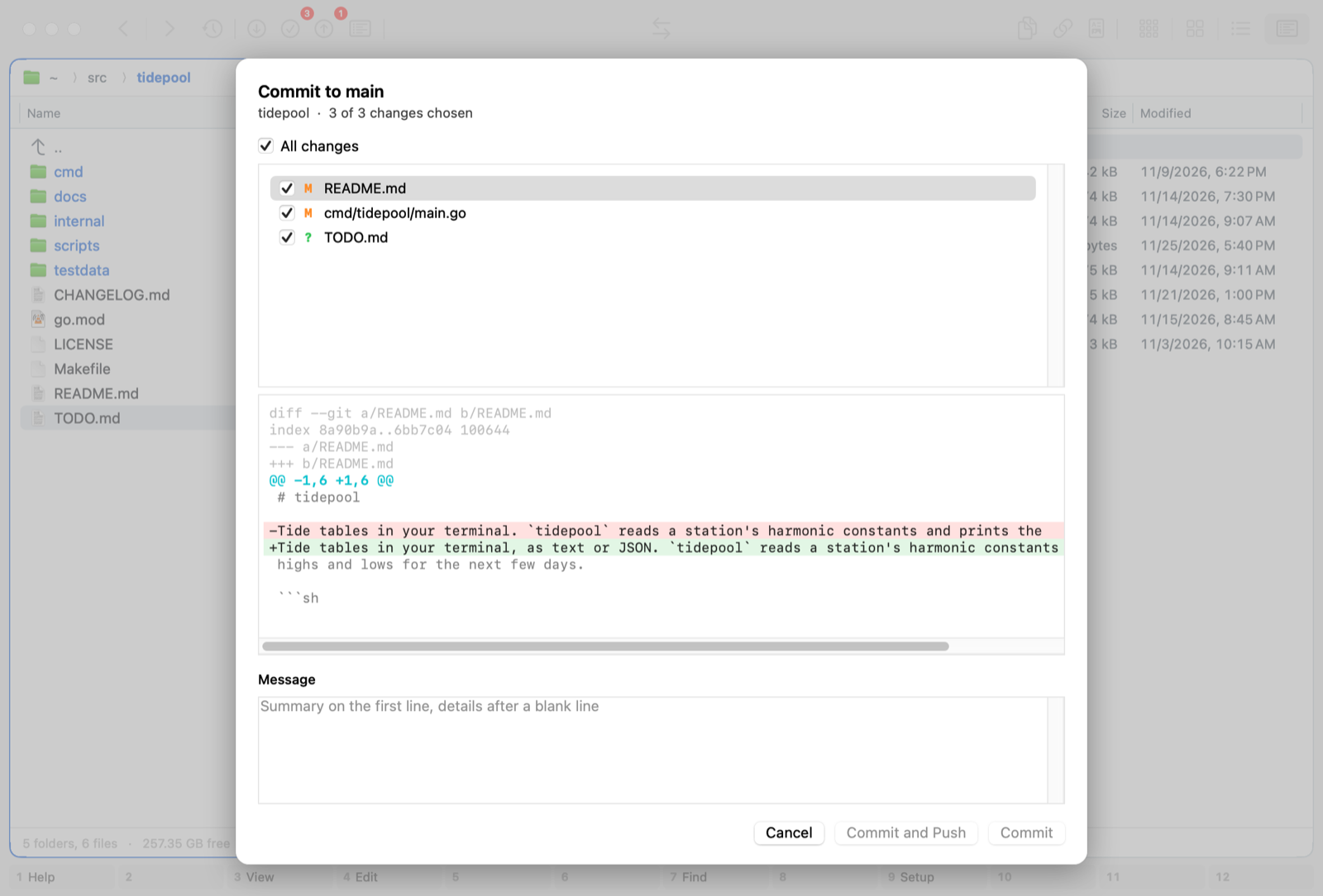
Tick the changes to commit and read each one's diff first. A partial commit leaves the rest staged as it was.
Pull only fast-forwards. Push sets up the remote branch for a new one. Branches switch from the footer.
⌥⌘K commit · ⇧⌘K push · ⌃⌘K pull
| Name | What it does | Key |
|---|---|---|
| Archives | zip, tar.gz, 7z, rar, iso and more open as folders. Nothing is unpacked next to them. | ↩ |
| Find Files | By name or mask, and optionally by text inside. Results stream in. | F7 |
| Compare | Marks what is only on one side, newer, older, or the same date with another size. | ⇧F2 |
| Palette | Every command, favourites, recent folders and the subfolders here, matched as you type. | ⌘K |
| Search | Jumps to names as you type, with masks and several patterns at once. | / |
| Sizes | Adds up a folder in the background. | Space |
| Edit | Opens the file in VS Code, Zed, Sublime Text, BBEdit, any app, or $EDITOR in a terminal. | F4 |
| Breadcrumbs | Click a folder in the path to go there, or the end to type a path with Tab completion. | |
| sloc | Opens a file or folder in a new tab from the terminal: sloc ~/src. | |
| Sessions | Tabs, pinned tabs, cursors and panel widths come back on the next launch. |
Not yet: copy, move, rename and delete. Until they arrive, Slop Commander only reads, except for git, editing (F4), new files (⇧F4) and the command line, each on your command.
Slop Commander 0.1.0
- Unzip it and move Slop Commander to Applications.
- It's signed ad hoc, not notarized by Apple, so macOS stops the first launch. Clear the download flag:
or open it once, then choose Open Anyway in System Settings › Privacy & Security.xattr -dr com.apple.quarantine "/Applications/Slop Commander.app" - For the
sloccommand, link it from a folder on your PATH:ln -s "/Applications/Slop Commander.app/Contents/SharedSupport/sloc" ~/.local/bin/sloc
Every release: github.com/iviv/slopcommander.xyz/releases

Slop Viewer (mdv)
Browse with Slop Commander, read with mdv. The two were made side by side:
- Quick view and F3's preview draw Markdown with mdv's Quick Look extension, math and diagrams included.
- ⌥F3 and the toolbar's Open with mdv send the file under the cursor to mdv, or a folder to its files sidebar.
- The panels wear mdv's theme and change when you change it there, so a file looks the same in both.
slocopens a folder here,mdvopens a file there.